实现一个最小bootloader

如何实现一个最小bootloader

1. bootloader的汇编代码

1
2
3
4
5
6
7
8
9
10
11
12
13
14
15
16
17
18
19
20
21
22
23
24
25
26
27
28
29
30
31
32
33
34
; bootloader.asm - minimal boot sector
; assemble: nasm -f bin bootloader.asm -o boot.bin

BITS 16
ORG 0x7C00

start:
cli
xor ax, ax
mov ds, ax
mov es, ax
mov ss, ax
mov sp, 0x7C00 ; 简单栈:放在自身下方
sti

mov si, msg
.print:
lodsb ; AL = [DS:SI], SI++
test al, al
jz .hang
mov ah, 0x0E ; teletype 输出
mov bh, 0x00
mov bl, 0x07 ; 灰字黑底
int 0x10
jmp .print

.hang:
jmp .hang

msg db "Hello from bootloader!", 0

; 填充到 510 字节
times 510-($-$$) db 0
dw 0xAA55 ; boot signature

2. 编译运行

1
2
3
4
5
nasm -f bin bootloader.asm -o boot.bin
ls -l boot.bin # 应该正好 512 bytes

# 运行
qemu-system-i386 -drive format=raw,file=boot.bin

3. qemu+GDB调试

  • 用 QEMU 挂起 CPU + 开 gdbserver
1
2
3
4
5
# 关键参数:-S(上电就暂停),-s(在 1234 端口开 gdb stub)
qemu-system-i386 \
-drive format=raw,file=boot.bin \
-S -s \
-monitor stdio
  • 另开一个终端,用 GDB 连接 QEMU
1
gdb -q
1
2
3
4
5
6
set architecture i8086
target remote :1234

# BIOS 会把你加载到物理 0x7C00,入口一般是 0000:7C00
break *0x7c00
continue
1
2
3
4
#查看寄存器状态和汇编
info registers
x/16i 0x7c00 # 从 0x7C00 反汇编
x/32xb 0x7c00 # 看机器码字节
1
2
si      # step instruction,单步一条指令
ni # next instruction,通常对 call/int 更“跳过”一些(但 int 的行为比较特殊)

如何成为AI Infra工程师

如何成为AI Infra工程师

我给你一个现实路线(贴合你背景)

这是为你定制的,不是通用模板:


阶段1(0–3个月)

目标:进入AI系统工程层

学习
• PyTorch运行机制
• vLLM / TensorRT-LLM
• 推理服务架构
• GPU memory模型

实战
• 本地部署LLM推理
• 构建高并发推理API
• 流式输出服务

你很快能上手


阶段2(3–6个月)

目标:触碰Infra边界
• CUDA基础
• kernel理解
• KV cache优化
• profiling


阶段3(6–12个月)

目标:进入市场稀缺区
• GPU调度
• 推理性能优化
• 多卡并行
• 模型服务系统设计
先详细介绍下阶段1

cpu cache是怎样影响程序执行的

cpu cache是怎样影响程序执行的

0. 前置知识

  • 通常存储器分为多级,依次L1, L2, L3, 主内存,硬盘
  • L1和L2在CPU内,属于某个核独享
  • 我的macos m2
1
2
3
4
5
6
7
8
9
10
11
12
13
14
15
16
17
🔹 性能核(P-Core ×8)
• L1 I:192 KB / core
• L1 D:128 KB / core
• L2:16 MB(8 核共享)

🔹 能效核(E-Core ×4)
• L1 I:128 KB / core
• L1 D:64 KB / core
• L2:4 MB(4 核共享)

🔹 System Level Cache(SLC)
• 48 MB
• SoC 全共享
• macOS 不暴露

🔹 Cache Line
• 128 bytes
  • 我的google pixel 2
1
2
3
4
5
6
7
8
9
10
11
12
13
14
15
16
17
18
19
20
21
22
23
24
✅ CPU 架构
• Snapdragon 835(MSM8998)
• 8 核 big.LITTLE
• 4× Cortex-A73(性能核)
• 4× Cortex-A53(能效核)


✅ Cache 架构

大核(A73 ×4)
• L1 I:64 KB / core
• L1 D:64 KB / core
• L2:2 MB(4 核共享)

小核(A53 ×4)
• L1 I:32 KB / core
• L1 D:32 KB / core
• L2:1 MB(4 核共享)

SoC 级缓存
• Qualcomm System Cache(存在)
• Android 不暴露
• 不等同于 x86 的 L3
1
2
3
// cache line大小, 字节
cat /sys/devices/system/cpu/cpu0/cache/index0/coherency_line_size
64

1. 缓存如何被加载

1
2
3
4
5
硬件完成的,无需指令参与加载,但是需要知道大概的存取速度:
L1 的存取速度:4 个CPU时钟周期
L2 的存取速度: 11 个CPU时钟周期
L3 的存取速度:39 个CPU时钟周期
RAM内存的存取速度:107 个CPU时钟周期

2. CPU怎样查找缓存

1
2
3
4
5
6
7
8
内存地址被分为三段:
| Tag(24bit) | Index(6bit) | Offset(6bit) |

硬件步骤:
1. 用 Set Index 选中一个 set(64 个之一)
2. 在这个 set 的 8 个 way 里并行比较 Tag
3. 找到 Tag 匹配的那一条 line
4. 用 Offset 在这 64B 里取具体数据
  • 对于32KB的L1,64byte的cache line,相当于512条cache line
  • Index用于定位到哪个set
  • Tag表示哪个line
  • Offset是数据在cache line中的偏移
  • 因此,很容易想到一种性能极差的场景,就是cache冲突,也就是Index一致,但是Tag不同,就会Cache miss,导致重新从下级缓存加载

3. 对于多核cpu,缓存如何保持一致

1
现在基本都是使用Snoopy的总线的设计, 也就是当同一个cache line被读到多个L1中时,如果有一个核写了某个字节,其他核的cache line会被标记为失效

4. 程序应该怎样做,一些例子(抄了左耳朵耗子的例子,这些例子已经足够好了)

1. 使用不同步长遍历数组,主要关注的点有两个:
  • 两种遍历方式,耗时差不多,之所以这样,是因为cache miss的次数差不多
  • 乘法基本不耗时
1
2
3
4
5
6
const int LEN = 64*1024*1024;
int *arr = new int[LEN];

for (int i = 0; i < LEN; i += 2) arr[i] *= i;

for (int i = 0; i < LEN; i += 8) arr[i] *= i;
2. cache冲突,当步长是1024时,因为是int类型,所以每次跳过2的12次幂,低12位基本不变,大量的数据都命中同一个set,而一个set中只有8个cache line,对于32K的L1来说,只有这一个set被使用,其他set完全没有利用到
1
2
3
4
5
6
7
8
9
10
11
12
13
14
15
16
17
18
19
20
21
22
23
24
25
26
for (int i = 0; i < 10000000; i++) {
for (int j = 0; j < size; j += increment) {
memory[j] += j;
}
}
| count | 1 | 16 | 512 | 1024 |
------------------------------------------
| 1 | 17539 | 16726 | 15143 | 14477 |
| 2 | 15420 | 14648 | 13552 | 13343 |
| 3 | 14716 | 14463 | 15086 | 17509 |
| 4 | 18976 | 18829 | 18961 | 21645 |
| 5 | 23693 | 23436 | 74349 | 29796 |
| 6 | 23264 | 23707 | 27005 | 44103 |
| 7 | 28574 | 28979 | 33169 | 58759 |
| 8 | 33155 | 34405 | 39339 | 65182 |
| 9 | 37088 | 37788 | 49863 |156745 |
| 10 | 41543 | 42103 | 58533 |215278 |
| 11 | 47638 | 50329 | 66620 |335603 |
| 12 | 49759 | 51228 | 75087 |305075 |
| 13 | 53938 | 53924 | 77790 |366879 |
| 14 | 58422 | 59565 | 90501 |466368 |
| 15 | 62161 | 64129 | 90814 |525780 |
| 16 | 67061 | 66663 | 98734 |440558 |
| 17 | 71132 | 69753 |171203 |506631 |
| 18 | 74102 | 73130 |293947 |550920 |

我们可以看到,从 [9,1024] 以后,时间显著上升。包括 [17,512] 和 [18,512] 也显著上升。这是因为,我机器的 L1 Cache 是 32KB, 8 Way 的,前面说过,8 Way的有64组,每组8个Cache Line,当for-loop步长超过1024个整型,也就是正好 4096 Bytes时,也就是导致内存地址的变化是变化在高位的24bits上,而低位的12bits变化不大,尤其是中间6bits没有变化,导致全部命中同一组set,导致大量的cache 冲突,导致性能下降,时间上升。而 [16, 512]也是一样的,其中的几步开始导致L1 Cache开始冲突失效。

3. 这个例子中,分为按行和按列遍历
  • 按列遍历的问题在于, 因为每行1024个int,所以按列遍历,表示每次都跳过4096字节,因此还是每次都命中同一个set,而一个set中只有8个车位,到第9个之后的每一次,一定cache miss
  • 按行遍历时,是均匀遍历,如果出现一次cache miss,一定会有15次cache hit,而且也不会对着一个set猛干,因为内存地址的6~11位是会均匀变的
1
2
3
4
5
6
7
8
9
10
11
12
13
14
15
16
17
18
19
20
21
const int row = 1024;
const int col = 512
int matrix[row][col];

//逐行遍历
int sum_row=0;
for(int _r=0; _r<row; _r++) {
for(int _c=0; _c<col; _c++){
sum_row += matrix[_r][_c];
}
}

//逐列遍历
int sum_col=0;
for(int _c=0; _c<col; _c++) {
for(int _r=0; _r<row; _r++){
sum_col += matrix[_r][_c];
}
}
逐行遍历:0.081ms
逐列遍历:1.069ms
4. 这个例子是,当同一个cache line被多个核加载到各自的L1时,不断互相被置为无效,导致每次无效时,都要重新加载一次cache line
1
2
3
4
5
6
7
8
9
10
11
12
void fn (int* data) {
for(int i = 0; i < 10*1024*1024; ++i)
*data += rand();
}

int p[32];

int *p1 = &p[0];
int *p2 = &p[1]; // int *p2 = &p[30];

thread t1(fn, p1);
thread t2(fn, p2);
5. 这个例子中,多线程分片读,但是写入结果的数组,在同一个cache line,还是会导致无效
1
2
3
4
5
6
7
8
9
10
11
12
13
14
15
int total_size = 16 * 1024 * 1024; //数组长度
int* test_data = new test_data[total_size]; //数组
int nthread = 6; //线程数(因为我的机器是6核的)
int result[nthread]; //收集结果的数组

void thread_func (int id) {
result[id] = 0;
int chunk_size = total_size / nthread + 1;
int start = id * chunk_size;
int end = min(start + chunk_size, total_size);

for ( int i = start; i < end; ++i ) {
if (test_data[i] % 2 != 0 ) ++result[id];
}
}

5. 综述

导致性能下降的原因主要有两个:

  • L1的利用率下降
  • 多核为了cache的一致性,做同步操作,导致cache line无效

怎样确定https正确发出了

怎样确定https正确发出了

0. 前置信息

今天遇到一个问题,当我使用chrome请求一个url,得到的结果,与预期不一致,但是10多分钟后,再请求,又没问题,怀疑是服务端有缓存,但是后端开发说没缓存,所以我需要确定,http请求是否真的发出了,在进行操作之前,对于如下几件事,有些确定,有些不确定:

1
2
1. 我确定linux内核不会缓存我的http请求(虽然没看过kernel源码,但是坚信内核不会做这种事)
2. 我不太确定chrome是否会缓存我的http请求,尽管Cache-Control: no-cache\r\n

1. 使用ping命令获得域名的ip地址

1
2
3
4
5
ping stg-jk.pingan.com.cn
PING stg-jk.pingan.com.cn (124.196.81.174): 56 data bytes
Request timeout for icmp_seq 0
Request timeout for icmp_seq 1
Request timeout for icmp_seq 2

2. 查看这个ip匹配到哪个路由,这里是en0

1
2
3
4
5
6
7
8
9
route -n get 124.196.81.174
route to: 124.196.81.174
destination: default
mask: default
gateway: 192.168.0.1
interface: en0
flags: <UP,GATEWAY,DONE,STATIC,PRCLONING,GLOBAL>
recvpipe sendpipe ssthresh rtt,msec rttvar hopcount mtu expire
0 0 0 0 0 0 1500 0

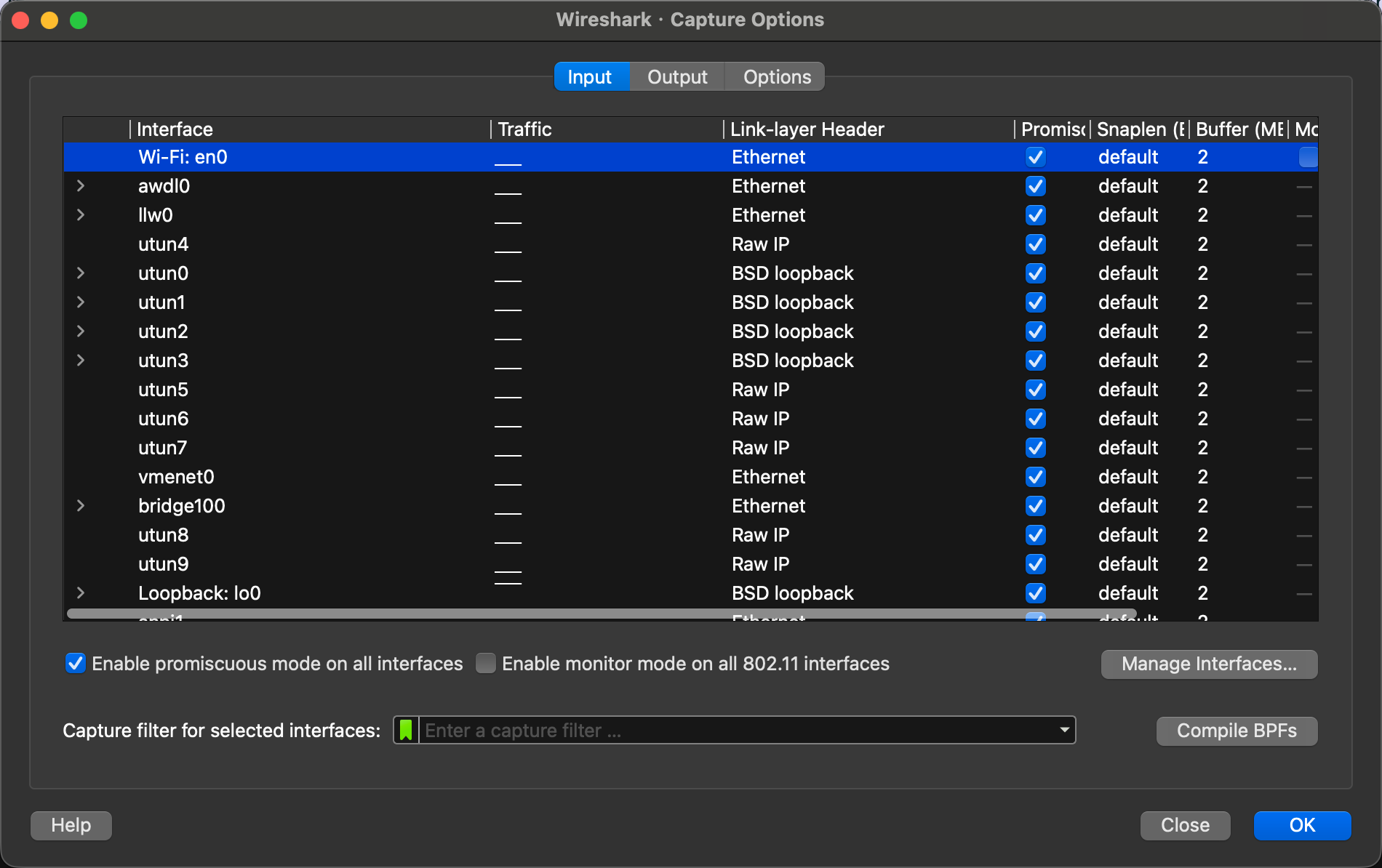
3. 确定使用的网卡,添加过滤规则

upload successful

1
ip.addr == 124.196.81.174

4. 由于是https协议,所以抓到的包,是加密的。

1
2
3
4
5
6
1. 要先关到所有chrome,在命令行启动时,配置环境变量(因为进程fork时,写时拷贝,所以这个环境变量必然生效)
export SSLKEYLOGFILE=/tmp/sslkeys.log
open -a "Google Chrome"

2. 然后在wireshark中配置ssl密钥(/tmp/sslkeys.log)
Wireshark -> Preferences -> Protocols -> TLS -> (Pre)-Master-Secret log filename

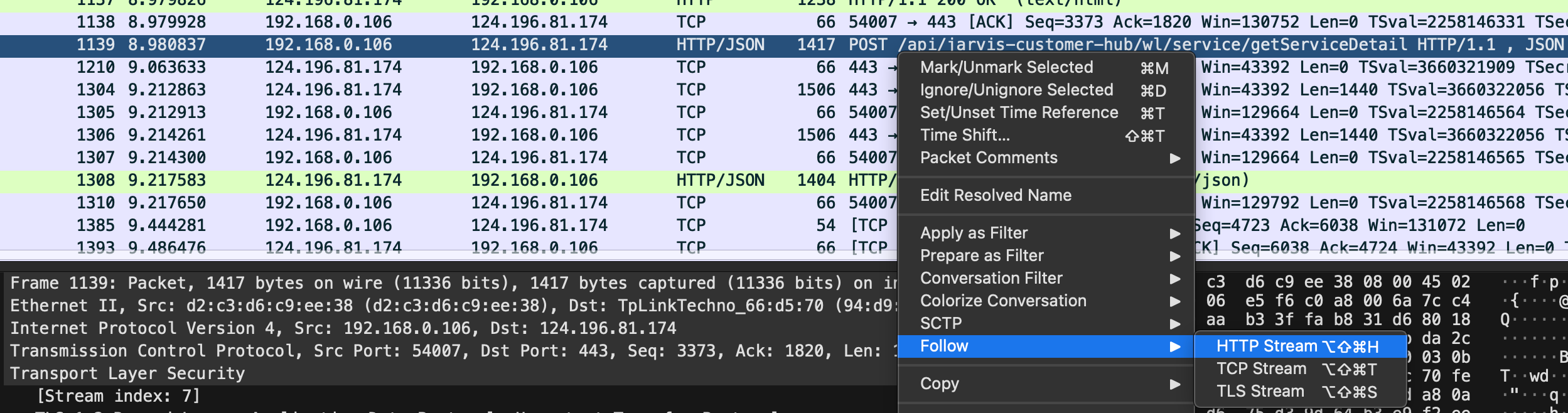
5. 抓包时,看到的就是明文了,此时可以进一步过滤,并且找到请求对应的response

1
ip.addr == 124.196.81.174 && http

upload successfull

<Android>治理Bitmap

工具Lancet

能通过ASM+注解器+gradle插件的方式,实现字节码插桩

原理

1. 拦截Bitmap.createBitmap
2. 对于图片尺寸超过屏幕宽高,等比缩放。对于格式是ARGB_8888,降为RGB_565
3. 对于Bitmap泄漏,当Bitmap被GC挥手回收后,NativeAllocationRegistry可以辅助Native内存回收。

<Android>native内存泄漏

内存泄漏检测工具

memory-leak-detector(https://github.com/bytedance/memory-leak-detector)

1
2
3
4
5
6
7
8
9
10
11
12
13
14
15
16
(base) mingliu@192 raphael % python /Users/mingliu/_work/android_learn/memory-leak-detector/library/src/main/python/mmap.py -m maps   
========== maps ==========
17,026,457,600 totals
1,452,969,984 unknown
137,805,824 library
102,236,160 native
7,208,960 object
3,571,712 bss
2,682,880 ttf
1,966,080 linker
1,888,256 hyb
622,592 thread
581,632 ashmem
69,632 atexit
15,314,853,888 extras

1
2
(base) mingliu@192 raphael % python /Users/mingliu/_work/android_learn/memory-leak-detector/library/src/main/python/raphael.py -r ./report -o leak-doubts.txt

原理

  • 先用PLT hook的方式,统计malloc/free等内存分配的函数,分配和释放了多少内存
  • 然后获取调用栈,堆栈信息还原
  • 每隔10分钟,用总分配减去总释放,看内存是否不断变大

<Android>java内存泄漏

工具

0. 举个内存泄漏的例子

1
2
3
4
5
6
7
8
# 非静态内部类
Handler handler = new Handler(Looper.getMainLooper());
handler.postDelayed(new Runnable() {
@Override
public void run() {
Log.i("ming_test", "post message");
}
}, 10 * 60 * 1000);

1. 获取heap dump

1
2
3
4
5
6
7
8
# 堆内存快照
adb shell am dumpheap org.ming.mgo /data/local/tmp/ming_demo.hprof

# 拉到本地
adb pull /data/local/tmp/ming_demo.hprof ./

# 为MAT转换格式
hprof-conv ming_demo.hprof ming_demo_conv.hprof

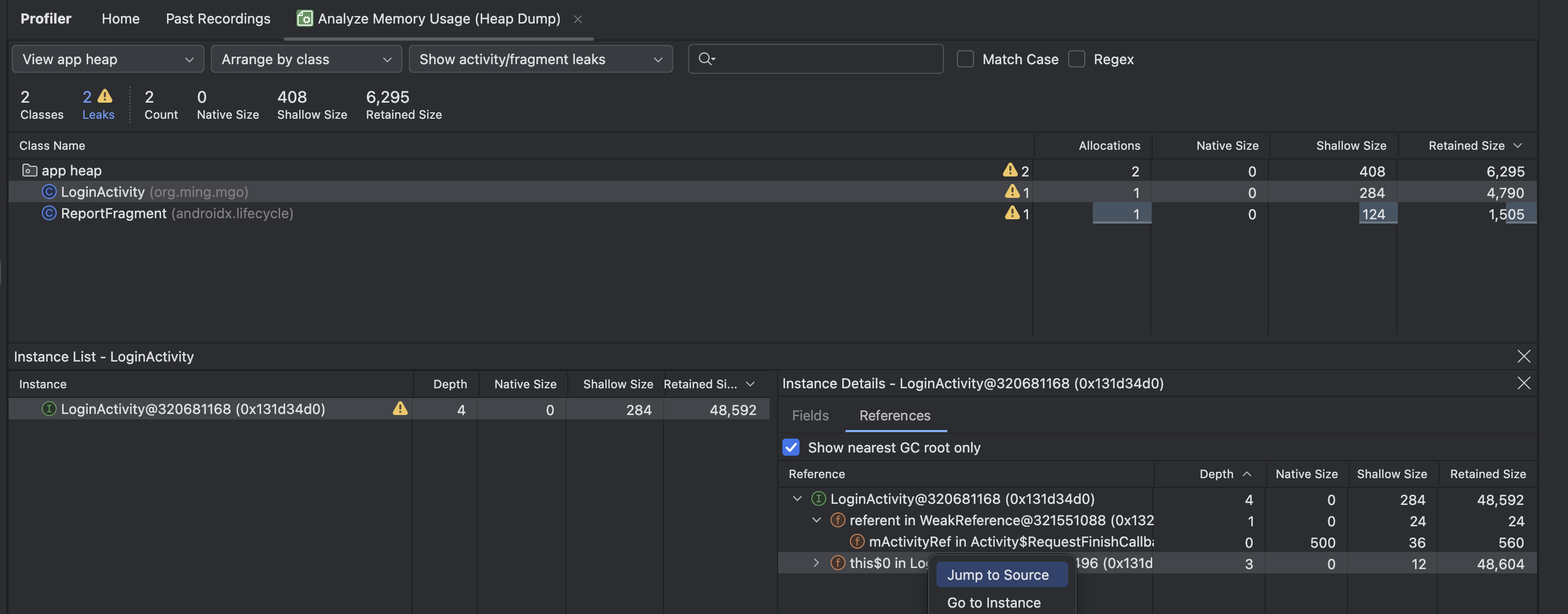
2. 使用Android studio profiler分析

upload successful

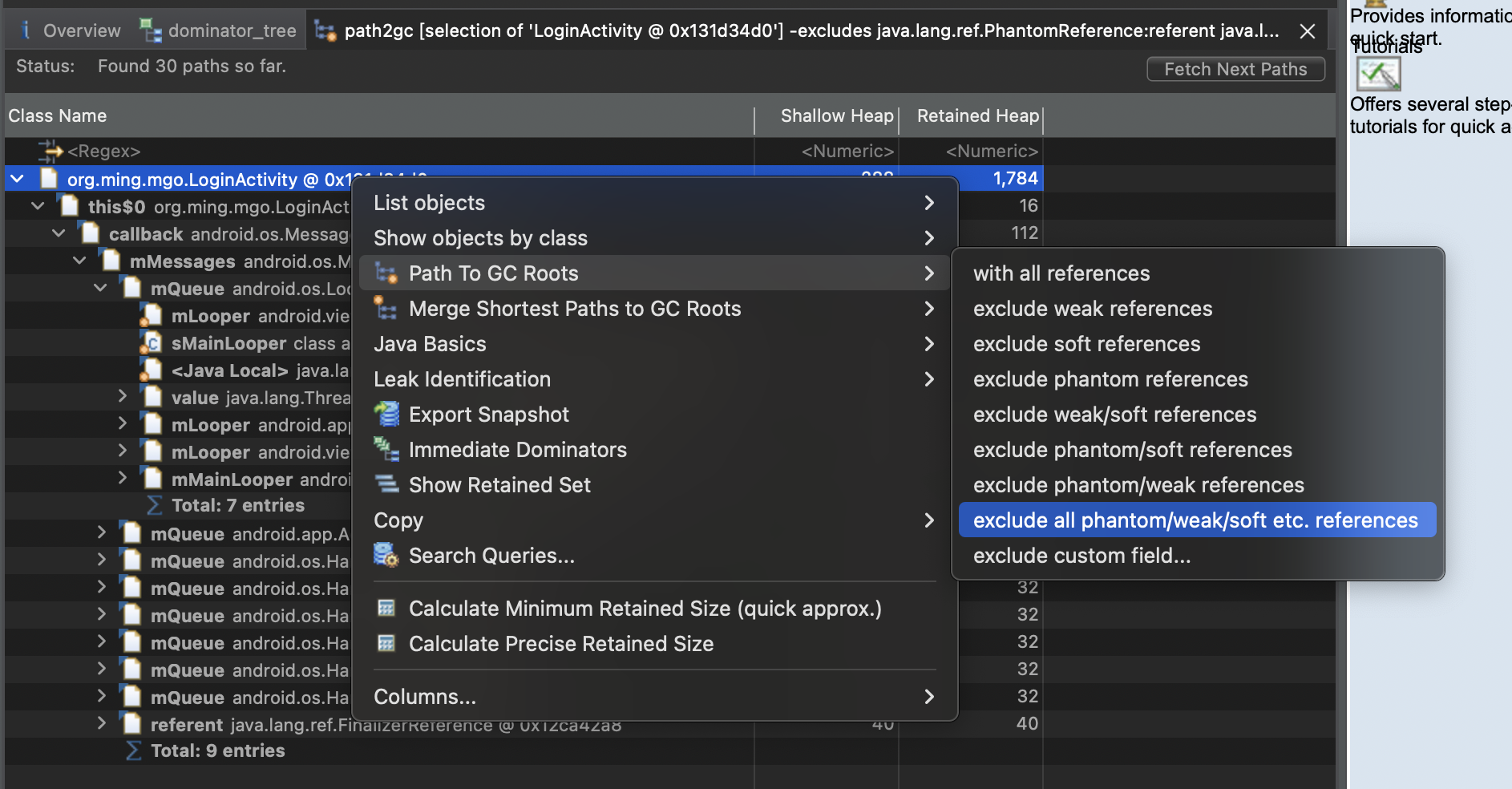
3. 使用MAT分析

1
# 如果已经知道泄漏的对象了,用MAT分析引用链

upload successful

慢SQL案例

Client

java client的报错信息
1
2
3
4
5
6
7
8
9
10
11
12
13
14
15
16
17
18
19
20
21
22
23
24
25
26
27
28
29
30
31
(base) ming@ff2393892154:~/_work/procotol/keng$ java -cp .:./mysql-connector-java-5.1.45.jar Test "jdbc:mysql://192.168.1.66:3306/test?useSSL=false&useServerPrepStmts=true&cachePrepStmts=true&connectTimeout=500&socketTimeout=1700" root 3306 "select sleep(10), id from users where id= ?" 10
com.mysql.jdbc.exceptions.jdbc4.CommunicationsException: Communications link failure

The last packet successfully received from the server was 1,703 milliseconds ago. The last packet sent successfully to the server was 1,703 milliseconds ago.
at java.base/jdk.internal.reflect.NativeConstructorAccessorImpl.newInstance0(Native Method)
at java.base/jdk.internal.reflect.NativeConstructorAccessorImpl.newInstance(NativeConstructorAccessorImpl.java:77)
at java.base/jdk.internal.reflect.DelegatingConstructorAccessorImpl.newInstance(DelegatingConstructorAccessorImpl.java:45)
at java.base/java.lang.reflect.Constructor.newInstanceWithCaller(Constructor.java:500)
at java.base/java.lang.reflect.Constructor.newInstance(Constructor.java:481)
at com.mysql.jdbc.Util.handleNewInstance(Util.java:425)
at com.mysql.jdbc.SQLError.createCommunicationsException(SQLError.java:990)
at com.mysql.jdbc.MysqlIO.reuseAndReadPacket(MysqlIO.java:3559)
at com.mysql.jdbc.MysqlIO.reuseAndReadPacket(MysqlIO.java:3459)
at com.mysql.jdbc.MysqlIO.checkErrorPacket(MysqlIO.java:3900)
at com.mysql.jdbc.MysqlIO.sendCommand(MysqlIO.java:2527)
at com.mysql.jdbc.ServerPreparedStatement.serverExecute(ServerPreparedStatement.java:1283)
at com.mysql.jdbc.ServerPreparedStatement.executeInternal(ServerPreparedStatement.java:783)
at com.mysql.jdbc.PreparedStatement.executeQuery(PreparedStatement.java:1966)
at Test.main(Test.java:21)
Caused by: java.net.SocketTimeoutException: Read timed out
at java.base/sun.nio.ch.NioSocketImpl.timedRead(NioSocketImpl.java:288)
at java.base/sun.nio.ch.NioSocketImpl.implRead(NioSocketImpl.java:314)
at java.base/sun.nio.ch.NioSocketImpl.read(NioSocketImpl.java:355)
at java.base/sun.nio.ch.NioSocketImpl$1.read(NioSocketImpl.java:808)
at java.base/java.net.Socket$SocketInputStream.read(Socket.java:966)
at com.mysql.jdbc.util.ReadAheadInputStream.fill(ReadAheadInputStream.java:101)
at com.mysql.jdbc.util.ReadAheadInputStream.readFromUnderlyingStreamIfNecessary(ReadAheadInputStream.java:144)
at com.mysql.jdbc.util.ReadAheadInputStream.read(ReadAheadInputStream.java:174)
at com.mysql.jdbc.MysqlIO.readFully(MysqlIO.java:3008)
at com.mysql.jdbc.MysqlIO.reuseAndReadPacket(MysqlIO.java:3469)
... 7 more
client code
1
2
3
4
5
6
7
8
9
10
11
12
13
14
15
16
17
18
19
20
21
22
23
24
25
26
27
28
29
30
31
32
33
34
35
36
37
38
39
40
41
42
43
import java.sql.Connection;
import java.sql.DriverManager;
import java.sql.ResultSet;
import java.sql.SQLException;
import java.sql.Statement;
import java.sql.PreparedStatement;
public class Test { //不要琢磨代码规范、为什么要这么写,就是为了方便改吧改吧做很多不同的验证试验
public static void main(String args[]) throws NumberFormatException, InterruptedException, ClassNotFoundException {
Class.forName("com.mysql.jdbc.Driver");
String url = args[0];
String user = args[1];
String pass = args[2];
String sql = args[3];
String interval = args[4];
try {
Connection conn = DriverManager.getConnection(url, user, pass);
while (true) {

PreparedStatement stmt = conn.prepareStatement(sql);
stmt.setString(1, interval);
ResultSet rs = stmt.executeQuery();
rs.close();
stmt.close();

PreparedStatement stmt2 = conn.prepareStatement(sql);
stmt2.setString(1, interval);
rs = stmt2.executeQuery();
while (rs.next()) {
System.out.println("fine");
}
rs.close();
stmt2.close();

Thread.sleep(Long.valueOf(interval));
break;
}
conn.close();
} catch (SQLException e) {
e.printStackTrace();
}
}
}

server抓包

1
2
3
4
5
6
7
8
9
10
11
12
13
14
15
16
17
18
19
20
21
22
23
24
25
26
27
28
29
30
31
32
33
34
35
36
37
38
39
40
41
42
43
44
45
46
47
(base) ming@ming:~$ sudo tshark -i wlx502b73cb9f9a -Y "tcp.port==3306" -T fields -e frame.number -e frame.time -e frame.time_delta -e tcp.srcport -e tcp.dstport -e tcp.len -e _ws.col.Info -e mysql.query
Running as user "root" and group "root". This could be dangerous.
Capturing on 'wlx502b73cb9f9a'
** (tshark:3226) 10:11:29.450593 [Main MESSAGE] -- Capture started.
** (tshark:3226) 10:11:29.450692 [Main MESSAGE] -- File: "/tmp/wireshark_wlx502b73cb9f9aQUU052.pcapng"
16 Apr 30, 2025 10:11:34.350350921 CST 0.947355453 60467 3306 0 60467 → 3306 [SYN] Seq=0 Win=65535 Len=0 MSS=1460 WS=64 TSval=2340187876 TSecr=0 SACK_PERM=1
17 Apr 30, 2025 10:11:34.350462259 CST 0.000111338 3306 60467 0 3306 → 60467 [SYN, ACK] Seq=0 Ack=1 Win=65160 Len=0 MSS=1460 SACK_PERM=1 TSval=3615723320 TSecr=2340187876 WS=128
18 Apr 30, 2025 10:11:34.355973421 CST 0.005511162 60467 3306 0 60467 → 3306 [ACK] Seq=1 Ack=1 Win=131776 Len=0 TSval=2340187888 TSecr=3615723320
19 Apr 30, 2025 10:11:34.356373506 CST 0.000400085 3306 60467 78 Server Greeting proto=10 version=8.0.42
20 Apr 30, 2025 10:11:34.358847563 CST 0.002474057 60467 3306 0 60467 → 3306 [ACK] Seq=1 Ack=79 Win=131712 Len=0 TSval=2340187894 TSecr=3615723326
21 Apr 30, 2025 10:11:34.381972267 CST 0.023124704 60467 3306 242 Login Request user=root db=test
22 Apr 30, 2025 10:11:34.382031245 CST 0.000058978 3306 60467 0 3306 → 60467 [ACK] Seq=79 Ack=243 Win=65152 Len=0 TSval=3615723351 TSecr=2340187914
23 Apr 30, 2025 10:11:34.382161639 CST 0.000130394 3306 60467 48 Auth Switch Request
24 Apr 30, 2025 10:11:34.386851498 CST 0.004689859 60467 3306 0 60467 → 3306 [ACK] Seq=243 Ack=127 Win=131712 Len=0 TSval=2340187921 TSecr=3615723352
25 Apr 30, 2025 10:11:34.386969679 CST 0.000118181 60467 3306 24 Auth Switch Response
26 Apr 30, 2025 10:11:34.387212101 CST 0.000242422 3306 60467 11 Response OK
27 Apr 30, 2025 10:11:34.389723270 CST 0.002511169 60467 3306 0 60467 → 3306 [ACK] Seq=267 Ack=138 Win=131712 Len=0 TSval=2340187925 TSecr=3615723357
28 Apr 30, 2025 10:11:34.391847790 CST 0.002124520 60467 3306 897 Request Query /* mysql-connector-java-5.1.45 ( Revision: 9131eefa398531c7dc98776e8a3fe839e544c5b2 ) */SELECT @@session.auto_increment_increment AS auto_increment_increment, @@character_set_client AS character_set_client, @@character_set_connection AS character_set_connection, @@character_set_results AS character_set_results, @@character_set_server AS character_set_server, @@collation_server AS collation_server, @@init_connect AS init_connect, @@interactive_timeout AS interactive_timeout, @@license AS license, @@lower_case_table_names AS lower_case_table_names, @@max_allowed_packet AS max_allowed_packet, @@net_buffer_length AS net_buffer_length, @@net_write_timeout AS net_write_timeout, @@have_query_cache AS have_query_cache, @@sql_mode AS sql_mode, @@system_time_zone AS system_time_zone, @@time_zone AS time_zone, @@transaction_isolation AS transaction_isolation, @@wait_timeout AS wait_timeout
29 Apr 30, 2025 10:11:34.392261659 CST 0.000413869 3306 60467 1071 Response TABULAR Response OK
30 Apr 30, 2025 10:11:34.394971212 CST 0.002709553 60467 3306 0 60467 → 3306 [ACK] Seq=1164 Ack=1209 Win=130688 Len=0 TSval=2340187930 TSecr=3615723362
31 Apr 30, 2025 10:11:34.406723844 CST 0.011752632 60467 3306 18 Request Query SHOW WARNINGS
32 Apr 30, 2025 10:11:34.406912856 CST 0.000189012 3306 60467 203 Response TABULAR Response OK
33 Apr 30, 2025 10:11:34.409847491 CST 0.002934635 60467 3306 0 60467 → 3306 [ACK] Seq=1182 Ack=1412 Win=130880 Len=0 TSval=2340187945 TSecr=3615723376
34 Apr 30, 2025 10:11:34.410847357 CST 0.000999866 60467 3306 22 Request Query SET NAMES utf8mb4
35 Apr 30, 2025 10:11:34.411049777 CST 0.000202420 3306 60467 11 Response OK
36 Apr 30, 2025 10:11:34.413721737 CST 0.002671960 60467 3306 0 60467 → 3306 [ACK] Seq=1204 Ack=1423 Win=131072 Len=0 TSval=2340187949 TSecr=3615723380
37 Apr 30, 2025 10:11:34.414343733 CST 0.000621996 60467 3306 37 Request Query SET character_set_results = NULL
38 Apr 30, 2025 10:11:34.414548189 CST 0.000204456 3306 60467 11 Response OK
39 Apr 30, 2025 10:11:34.416990667 CST 0.002442478 60467 3306 0 60467 → 3306 [ACK] Seq=1241 Ack=1434 Win=131072 Len=0 TSval=2340187952 TSecr=3615723384
40 Apr 30, 2025 10:11:34.424098392 CST 0.007107725 60467 3306 21 Request Query SET autocommit=1
41 Apr 30, 2025 10:11:34.424296835 CST 0.000198443 3306 60467 11 Response OK
42 Apr 30, 2025 10:11:34.426600459 CST 0.002303624 60467 3306 0 60467 → 3306 [ACK] Seq=1262 Ack=1445 Win=131072 Len=0 TSval=2340187962 TSecr=3615723394
43 Apr 30, 2025 10:11:34.439848404 CST 0.013247945 60467 3306 48 Request Prepare Statement select sleep(10), id from users where id= ?
44 Apr 30, 2025 10:11:34.440179423 CST 0.000331019 3306 60467 122 Response
45 Apr 30, 2025 10:11:34.448473451 CST 0.008294028 60467 3306 0 60467 → 3306 [ACK] Seq=1310 Ack=1567 Win=131008 Len=0 TSval=2340187978 TSecr=3615723410
46 Apr 30, 2025 10:11:34.448473631 CST 0.000000180 60467 3306 21 Request Execute Statement
47 Apr 30, 2025 10:11:34.489163416 CST 0.040689785 3306 60467 0 3306 → 60467 [ACK] Seq=1567 Ack=1331 Win=64256 Len=0 TSval=3615723459 TSecr=2340187978
63 Apr 30, 2025 10:11:35.072729238 CST 0.250135043 60302 3306 0 60302 → 3306 [ACK] Seq=1 Ack=1 Win=2048 Len=0
64 Apr 30, 2025 10:11:35.072781476 CST 0.000052238 3306 60302 0 [TCP ACKed unseen segment] 3306 → 60302 [ACK] Seq=1 Ack=2 Win=493 Len=0 TSval=3615724042 TSecr=1597434315
69 Apr 30, 2025 10:11:36.166580140 CST 0.209393801 60467 3306 0 60467 → 3306 [FIN, ACK] Seq=1331 Ack=1567 Win=131072 Len=0 TSval=2340189700 TSecr=3615723459
70 Apr 30, 2025 10:11:36.207164269 CST 0.040584129 3306 60467 0 3306 → 60467 [ACK] Seq=1567 Ack=1332 Win=64256 Len=0 TSval=3615725177 TSecr=2340189700
88 Apr 30, 2025 10:11:39.448950399 CST 0.046271284 3306 60467 113 Response TABULAR Response OK Response OK
89 Apr 30, 2025 10:11:39.448999187 CST 0.000048788 3306 60467 55 Response Error 1158
90 Apr 30, 2025 10:11:39.449046442 CST 0.000047255 3306 60467 0 3306 → 60467 [FIN, ACK] Seq=1735 Ack=1332 Win=64256 Len=0 TSval=3615728418 TSecr=2340189700
93 Apr 30, 2025 10:11:39.455038276 CST 0.001240279 60467 3306 0 60467 → 3306 [ACK] Seq=1332 Ack=1735 Win=130944 Len=0 TSval=2340192988 TSecr=3615728418
96 Apr 30, 2025 10:11:39.457667957 CST 0.001328614 60467 3306 0 60467 → 3306 [ACK] Seq=1332 Ack=1736 Win=130944 Len=0 TSval=2340192988 TSecr=3615728418
^C41 packets captured